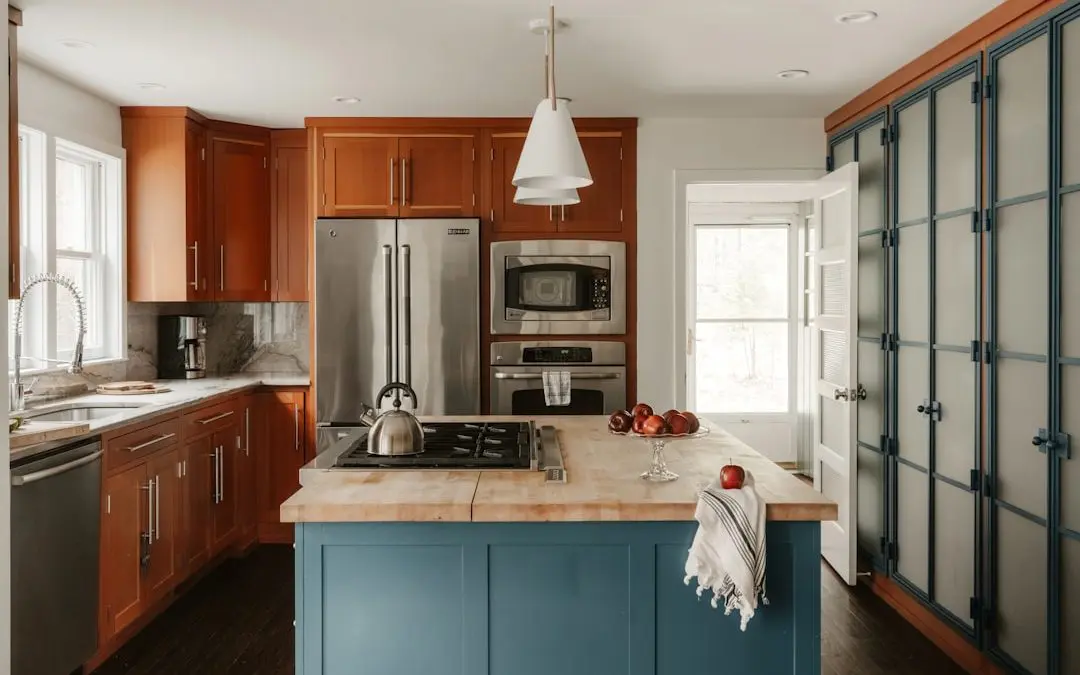
Test Cabinet Colors Before You Commit
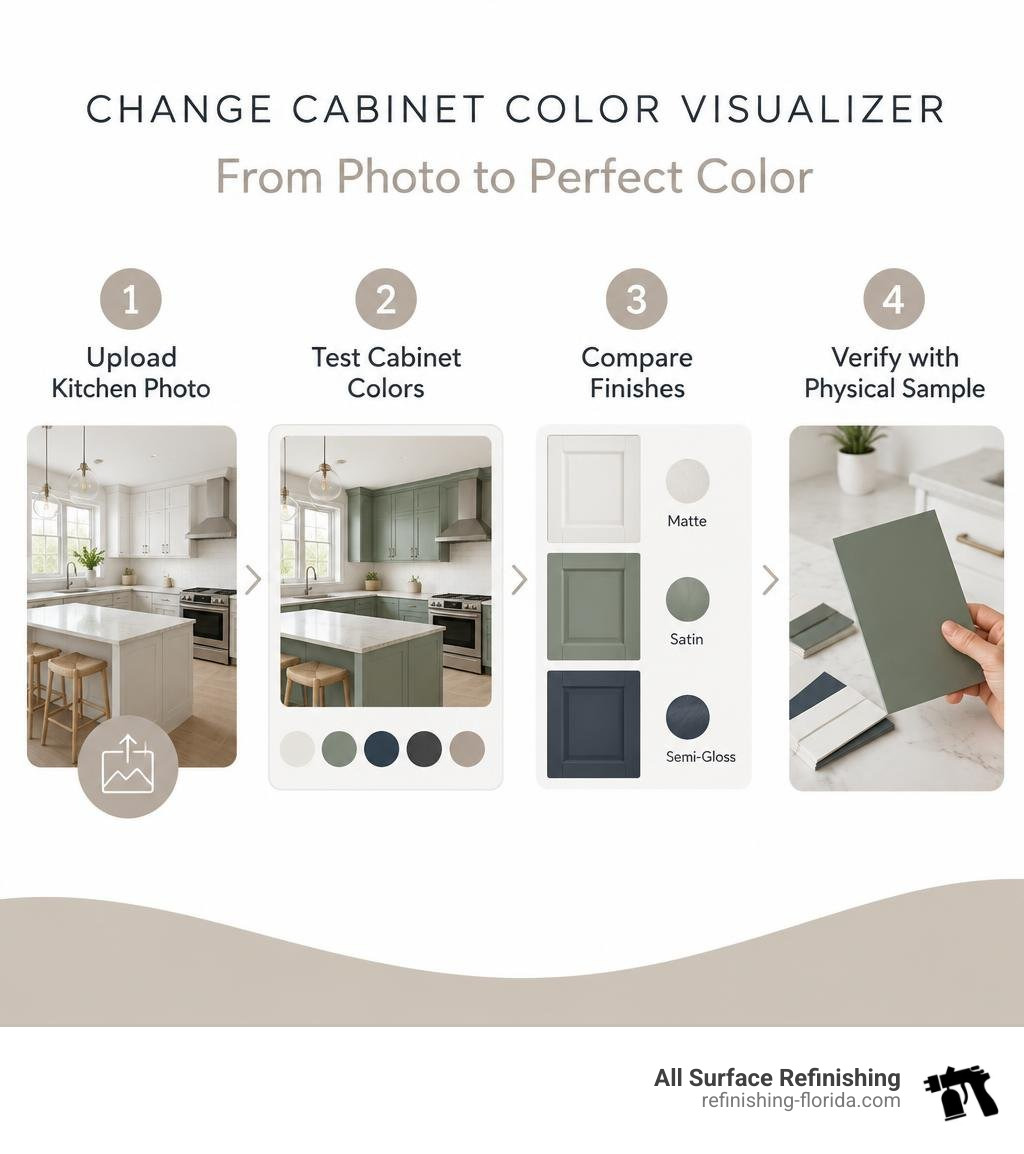
A change cabinet color visualizer lets you test cabinet colors on a kitchen or bathroom photo before a refinishing project begins. Upload a clear, well-lit image, try a few shades and finishes, and compare the previews against your existing countertops, backsplash, flooring, and hardware.
This is a smart first step when you want a major cabinet update without guessing from a tiny paint chip. Many AI tools detect cabinet doors and drawer fronts automatically, preserve the room’s shadows and surrounding surfaces, and create a preview in seconds. Use the results to narrow your choices, then confirm the final color and sheen with a physical sample in your home’s lighting.
For 2026, worthwhile colors to test include warm whites, muted greens, deep navy, charcoal, and two-tone kitchen cabinets with lighter uppers and darker lowers. A visualizer will not perfectly reproduce every screen, light source, or finish, but it can help you avoid an expensive color decision you later regret.
I am Frank Hernandez, President of All Surface Refinishing, and I have spent more than a decade helping South Florida property owners update worn kitchen and bathroom surfaces. A change cabinet color visualizer is a useful planning tool before our team helps turn the best cabinet color choice into a durable finished result.
How a Change Cabinet Color Visualizer Works: Photo Uploads vs. Pre-Set Templates
A cabinet color visualizer operates using one of two primary approaches: pre-set template scenes or custom photo uploads. Understanding how these tools function helps you choose the right platform for planning your remodel. If you are just getting started, our quick guide to changing kitchen cabinet colors provides practical baseline steps for evaluating your cabinetry.
Modern photo-upload tools use machine learning models trained on millions of interior architectural images. When you upload a picture of your kitchen or bathroom, the system separates cabinet doors, drawer faces, and face frames from stationary elements like stone countertops, tile backsplashes, appliances, and flooring.
Pre-set templates, by contrast, rely on 3D-modeled or studio-shot kitchen scenes. While templates let you explore broad color concepts quickly, they cannot show you how a specific hue interacts with your unique lighting, flooring, or existing countertops. Dedicated platforms like the Cabinet color visualizer or Cabinet Paint Visualizer | Housepaint AI bridge this gap by enabling direct photo uploads.
Top Features in an AI Change Cabinet Color Visualizer
Advanced visualizers, such as the AI Kitchen Cabinet Paint Visualizer | Paint Visualizer AI, offer several automated features that save hours of design work:
- Automatic Edge Detection: Eliminates the tedious need to draw manual selection masks around every door hinge, handle, and shaker panel groove.
- Hardware and Glass Preservation: Keeps metallic pulls, brushed brass handles, and glass door inserts completely untouched while changing the surrounding wood or laminate.
- Multi-Room Support: Handles utility spaces with equal precision, letting you visualize built-in laundry room cabinets, hallway linen storage, and bathroom vanities.
- Rapid Render Times: Generates full-resolution previews in 7 to 15 seconds per color variation.
How to Upload Photos to a Change Cabinet Color Visualizer
The quality of your input photo directly determines how realistic your digital preview looks. Follow these best practices before uploading your image:
- Shoot in Natural Daylight: Turn off overhead ambient lights to avoid unnatural yellow or fluorescent color casting. Photograph your kitchen during peak daytime hours.
- Clear the Countertops: Remove small appliances, dish drying racks, and countertop clutter so the tool can cleanly identify the bottom edges of upper cabinets and the top edges of lower bases.
- Capture a Wide Perspective: Stand in the main doorway or kitchen entrance to capture upper cabinets, base cabinets, backsplashes, and flooring in a single frame.
- Use Any Device: Leading browser tools work seamlessly across smartphones, tablets, and desktop computers without installing native applications.
Top Virtual Tools to Test Cabinet Colors and Finishes
Visualizers range from free, browser-based applications to brand-specific industrial portals. Tools like Cabinet Color Visualizer: Test Kitchen Cabinet Paint Free and Cabinet Color Visualizer: Explore Material & Paint Options allow users to test dozens of palette ideas in minutes without complicated software downloads. Learning how to change cabinet colors like an expert starts with choosing the right virtual testing tool.
| Visualizer Category | Primary Strength | Photo Upload? | Best For | Typical Render Speed |
|---|---|---|---|---|
| AI Photo-Upload Tools | Uses your actual room, lighting, and finishes | Yes | Accurate homeowner visualization | 7–15 seconds |
| Manufacturer Portals | Exact brand color library integration | Varies by tool | Matching commercial color swatches | 10–30 seconds |
| Template Scene Tools | Instant side-by-side color comparisons | No (uses templates) | Early-stage concept brainstorming | Instant |
Free Browser-Based and Photo-Upload Visualizers
Many web tools offer free single renders or initial trial credits without requiring credit card registration. This allows you to test several core palettes—such as warm whites, dark charcoals, and soft greens—before deciding whether to purchase extended render packages. Using browser-based platforms gives you the flexibility to experiment with different design concepts late at night on your phone without downloading cumbersome apps.
Cabinet Color Palettes, RAL Classics, and Custom Color Selection
When testing colors, visualizers typically support two types of libraries:
- Manufacturer Paint Libraries: Tools like the Sherwin-Williams Color Express Visualizer for Kitchen Cabinets and Kitchen Cabinets Color Express Visualizer offer direct access to popular architectural paint color codes from Benjamin Moore, Sherwin-Williams, and BEHR.
- RAL Classic Color Standards: European lacquer and coating systems rely on nearly 200 standardized RAL classic shades spanning nine hue families. These standards are ideal for testing modern, ultra-smooth solid finishes.
Top 2026 Cabinet Color Trends to Test Virtually
Cabinet design trends in 2026 show a decisive shift toward natural warmth, organic earth tones, and rich depth. Natural wood-finish cabinets now lead market preferences at 29 percent of renovations (up six percentage points year-over-year), while classic white holds second place at 28 percent (down five percentage points). Meanwhile, green has officially surpassed gray at 6 percent versus 5 percent of choices. For a deeper look at curated color schemes, explore our favorite painted kitchen cabinet inspirations.
Trending Tones: Sage Greens, Warm Neutrals, and Rich Blues
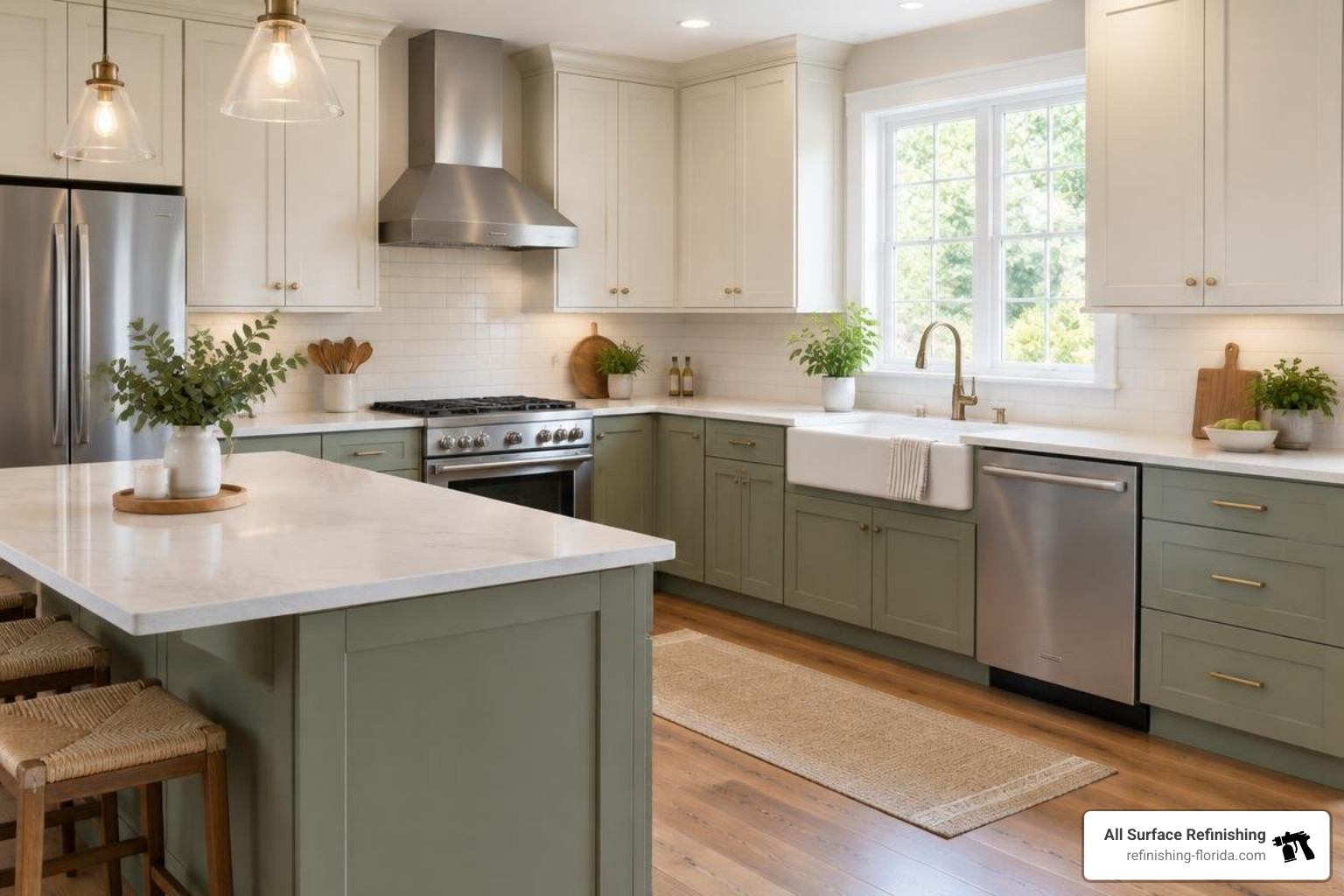
- Muted & Sage Greens: Green has emerged as the most versatile non-neutral shade in 2026. Subdued greens like Sherwin-Williams Evergreen Fog and Benjamin Moore Backwater adapt naturally to variable lighting, appearing clean and calm in north-facing light and vibrant in south-facing sun.
- Warm Greiges & Off-Whites: Cool, stark whites have given way to warm neutrals such as Accessible Beige, Swiss Coffee, and creamy alabaster. These shades soften the visual footprint of large cabinet runs.
- Deep Navies & Soft Blacks: Anchoring tones like Hale Navy, Iron Ore, and Tricorn Black provide sophisticated contrast when paired with light stone countertops.
Two-Tone Cabinet Strategies and Natural Wood Finishes
Two-tone cabinet designs remain the most requested configuration among recent kitchen remodels. The most effective approach pairs lighter uppers (such as soft white or warm cream) with darker lower cabinets or a rich kitchen island base (such as deep navy, sage green, or charcoal). This configuration draws the eye upward, making standard-height ceilings feel taller while grounding the room with a durable, darker base.
Maximizing Visualizer Accuracy: Sheens, Undertones, and Lighting
While modern AI tools are exceptionally capable, screen calibration, digital compression, and room lighting mean visualizers achieve roughly 85 to 95 percent real-world accuracy. If you want to explore non-invasive alternatives before refinishing, check out ways to update cabinet appearance without full repainting.
To get the most accurate results from your visualizer session, keep these environmental factors in mind:
- Room Exposure (North vs. South Light): North-facing rooms receive cool, blue-tinted natural light, which can make gray and cool white cabinets look flat or sterile. South-facing rooms enjoy warm, golden light throughout the day, which amplifies warm undertones in cream, beige, and earthy green paints.
- Floor & Countertop Undertone Clashes: Countertops and flooring are permanent elements. If your granite or quartz has warm, yellow-gold veining, cool blue-gray cabinets will clash. Use the visualizer to ensure your cabinet undertones harmonize with your hard surfaces.
- True White Card Test: When looking at physical swatches after digital testing, place your paint chip against a sheet of pure white printer paper to expose hidden green, pink, or yellow undertones.
Coordinating with Countertops, Backsplashes, and Flooring
A visualizer’s greatest benefit is showing cabinet colors against your existing fixed surfaces. If you have honey oak flooring, pairing it with deep forest green or charcoal lowers balances the orange tones of the wood. If you have dark granite countertops, testing soft off-white cabinets helps you see how much brighter and more open the room will feel. For more inspiration on whole-room transformations, read our guide on refreshing your kitchen with updated cabinet colors.
Choosing the Right Finish: Satin vs. Semi-Gloss Enamels
The finish you choose affects both the look and long-term durability of your cabinets:
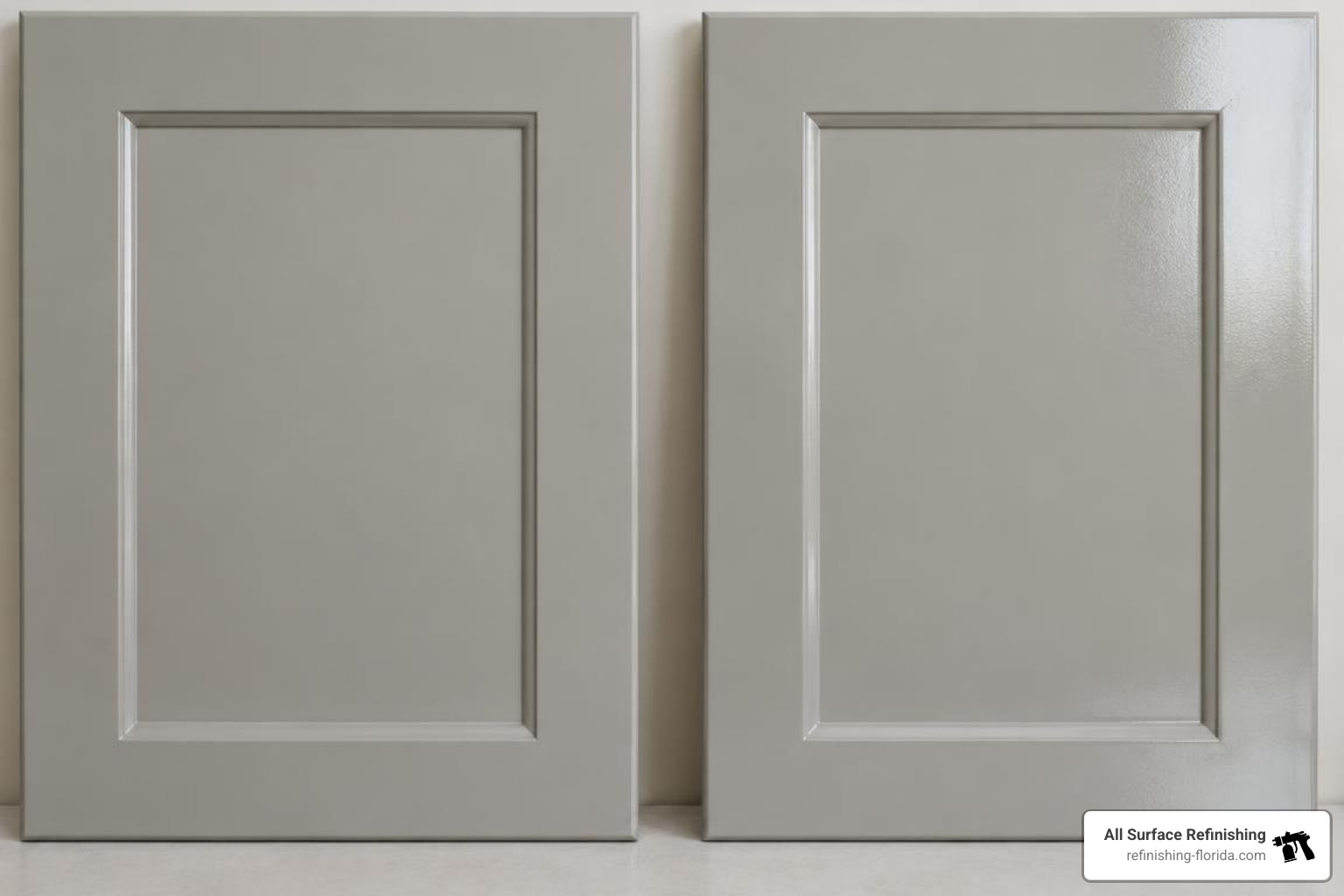
- Satin Enamel: Satin is the industry standard for modern cabinet refinishing. It provides a smooth, low-luster appearance that hides minor surface imperfections while resisting fingerprints and scuffs.
- Semi-Gloss Enamel: Semi-gloss offers slightly higher light reflectivity and moisture resistance, making it an excellent choice for high-humidity bathrooms or busy family kitchens that require frequent wipe-downs.
- Matte / Flat Finishes: Matte finishes should generally be avoided on high-touch kitchen cabinets. They absorb oils from fingertips and cannot withstand regular scrubbing.
Frequently Asked Questions About Cabinet Color Visualizers
How accurate are cabinet visualizer colors compared to real finishes?
Digital visualizers provide an 85 to 95 percent accurate representation of final color and contrast. However, variances in smartphone screen brightness, monitor color gamuts, and ambient room lighting can alter perceived shades. Sampling 12 physical paint colors by hand can easily cost $150 and three weekends of prep and cleanup. Using a visualizer lets you narrow your options down to two or three top choices virtually before confirming your final pick with physical swatches.
Can I visualize two-tone cabinets and bathroom vanities?
Yes. Leading AI tools allow you to assign distinct color prompts to upper cabinets, base cabinets, and island units independently. You can also upload photos of bathroom vanities, laundry room cabinetry, and built-in living room bookcases to preview new finishes across any room in your home.
Is cabinet refinishing more cost-effective than cabinet replacement?
Cabinet refinishing is significantly more economical than full cabinet replacement. A complete cabinet refinishing project typically costs between $1,200 and $7,000 depending on kitchen size, door count, and surface preparation. In comparison, tearing out and replacing kitchen cabinets ranges from $15,000 to $30,000 and disrupts your home for weeks.
According to data from the National Kitchen & Bath Association (NKBA), cabinet refinishing delivers a 60 to 70 percent return on investment at resale, compared to just 20 to 40 percent for full cabinet replacement.
Conclusion: Transform Your Cabinets with Expert Refinishing
A change cabinet color visualizer gives you the confidence to explore bold, modern palettes without the risk of expensive color mistakes. Once you have shortlisted your favorite shades online, bringing that vision to life requires meticulous surface preparation, industrial bonding primers, and precision spray applications.
At All Surface Refinishing, we bring over 30 years of industry experience and more than 14,000 completed kitchen and bathroom resurfacing projects to homeowners across South and Southwest Florida. We do not sell retail paint cans; instead, we deliver high-grade, long-lasting professional resurfacing that transforms worn cabinetry into factory-smooth, showroom-quality focal points.
Whether you want to modernize honey oak kitchen cabinets, update your master bathroom vanity, or introduce a stylish two-tone finish, our skilled team is here to help.
Explore our professional Cabinet Color Change Service today to request your free, no-obligation refinishing quote.
Service Area Directory
We proudly serve residential and commercial properties throughout South Florida:
- Miami-Dade County: Miami, Miami Beach, Coral Gables, Aventura, Bal Harbor, Coconut Grove, Kendall, Key Biscayne, Cutler Ridge, Hialeah, Homestead, Miami Lakes, Miami Shores, Miami Springs, North Miami, North Miami Beach, Perrine, Sweetwater, West Miami.
- Broward County: Fort Lauderdale, Hollywood, FL, Coral Springs, Pembroke Pines, Miramar, Davie, Deerfield Beach, Coconut Creek, Cooper City, Dania Beach, Hallandale Beach, Hillsboro Beach, Lauderdale By The Sea, Lauderdale Lakes, Lauderhill, Lazy Lake, Lighthouse Point, Margate, North Lauderdale, Oakland Park, Parkland, Tamarac, Weston, Wilton Manors.
- Palm Beach County: West Palm Beach, Boca Raton, Boynton Beach, Delray Beach, Palm Beach, Palm Beach Gardens, Jupiter, Lake Worth, Greenacres, North Palm Beach, Palm City, Wellington, FL.
- Treasure Coast & Surrounding Areas: Fort Pierce, Port Saint Lucie, Stuart, Jensen Beach, Hobe Sound, Indiantown, Port Salerno, Sebastian, Vero Beach, Saint Lucie County, Martin County, Indian River County.
- The Florida Keys: Key Largo, Islamorada, Marathon, Key West.
