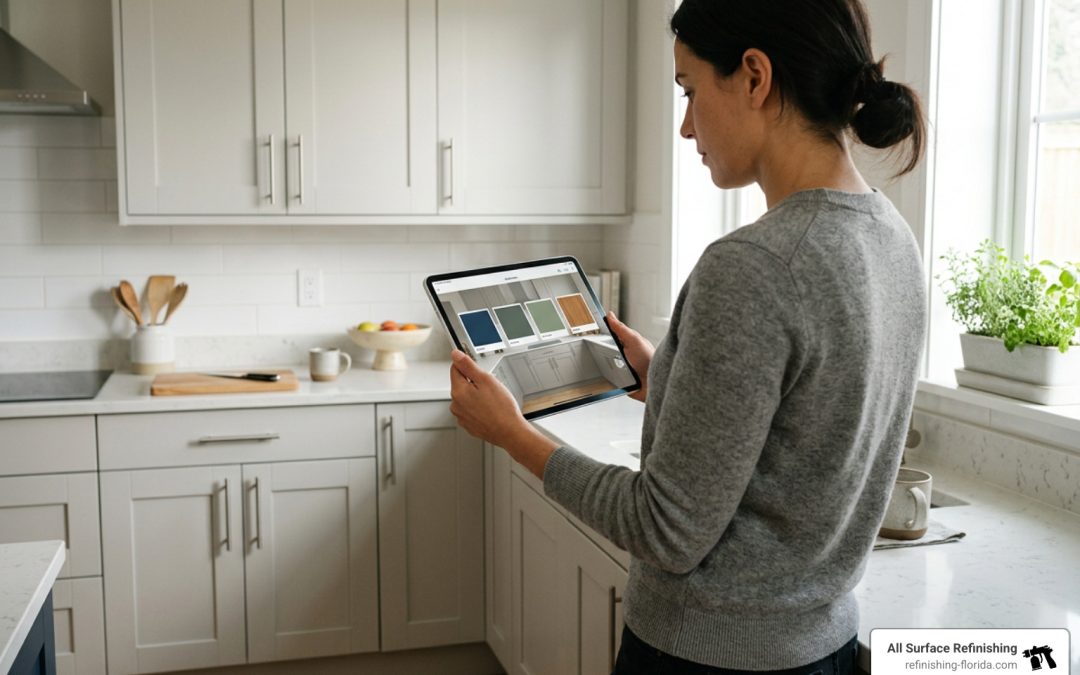
See Cabinet Colors Before You Commit
A kitchen cabinet color visualizer lets you upload a clear kitchen photo or use a sample room, then preview cabinet colors and finishes before work begins. Use it to test three to five options, compare them against your countertop, backsplash, and floor, and narrow the list to your top two before checking physical samples in your kitchen.
This simple step can prevent an expensive color mistake. Digital previews are useful for spotting clear winners, testing two-tone upper and lower cabinets, and seeing whether warm neutrals, greens, deep blues, or wood-inspired finishes fit the room. But screens and lighting can shift color, so treat the render as a decision tool, not a final color match.
I’m Frank Hernandez, President of All Surface Refinishing. After more than a decade in surface refinishing and cabinet updates across South Florida, I have seen how a kitchen cabinet color visualizer helps property owners choose a finish with more confidence before updating their cabinets.
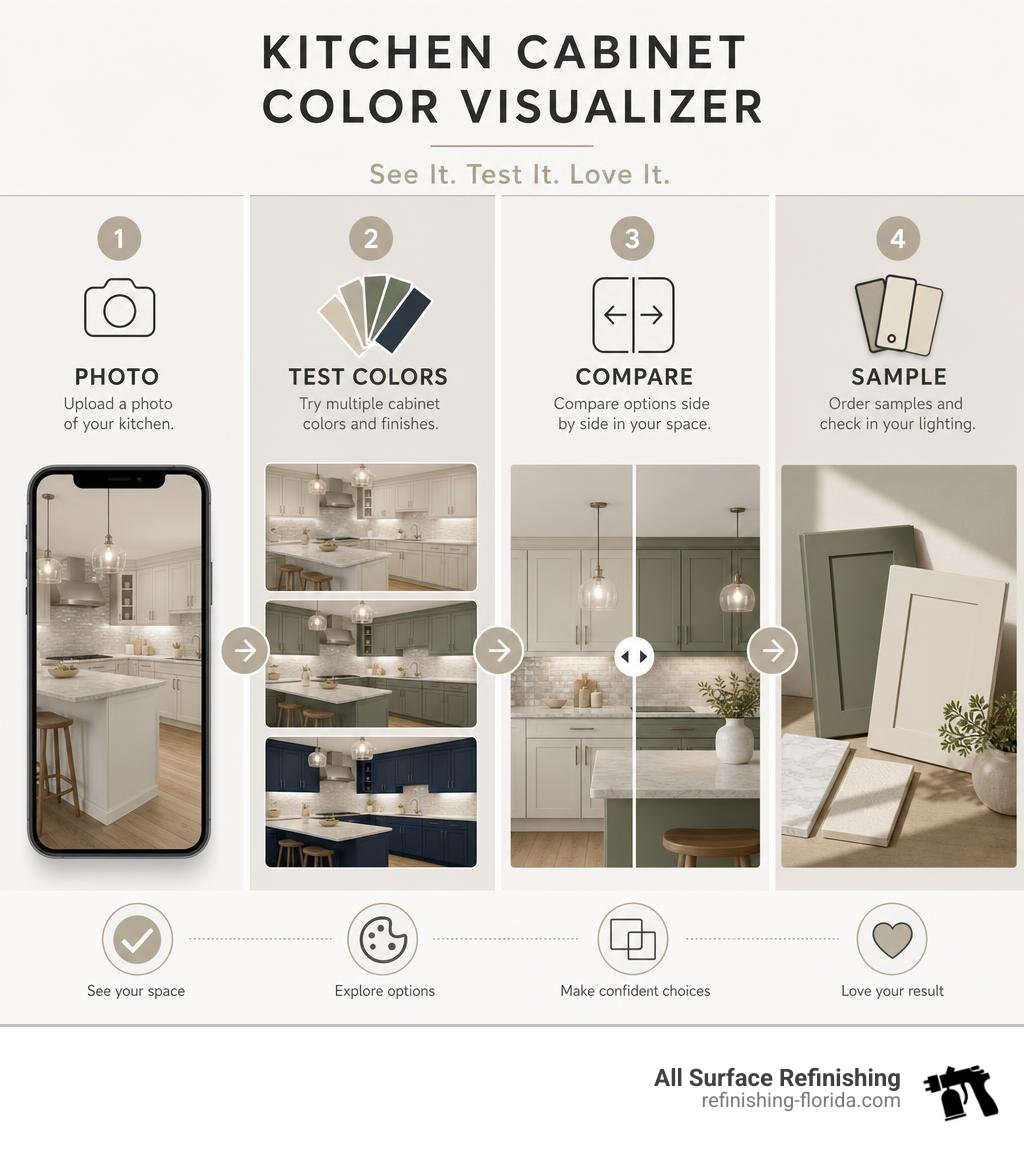
Basic kitchen cabinet color visualizer glossary:
How to Choose the Best Kitchen Cabinet Color Visualizer
A kitchen cabinet color visualizer uses image segmentation and machine-learning models to distinguish cabinet doors, drawer fronts, and face frames from surrounding surfaces. Advanced platforms map artificial lighting and shadows over cabinet surfaces while leaving your countertops, tile backsplash, appliances, and hardware intact.
When choosing a digital visualizer, look for tools that offer realistic boundary detection. Basic tools apply flat color overlays that erase wood grain and handle reflections. Modern AI engines calculate ambient light falloff, preserve hardware reflections, and render subtle sheen differences.
| Feature | Basic Visualizer Tools | Advanced AI Cabinet Visualizers |
|---|---|---|
| Input Options | Stock kitchen templates only | User photo upload + stock scenes |
| Edge Detection | Manual boundary drawing | Automatic edge and surface segmentation |
| Hardware Handling | Colors over hinges and pulls | Retains metal, glass, and shadow lines |
| Color Palettes | Limited generic color wheels | Major manufacturer palettes (RAL, Sherwin-Williams) |
| Finish Simulation | Flat matte display only | Matte, satin, semi-gloss, and lacquer textures |
| Render Speed | Instant flat fill | 20 to 45 seconds for photorealistic HD |
Top Free Kitchen Cabinet Color Visualizer Tools in 2026
Several browser-based and web visualizers allow you to test paint palettes directly on your kitchen or bathroom cabinets without downloading software.
- Kitchen Cabinet Visualizer – Upload Your Photo: Allows users to upload a room picture, customize cabinet finishes, explore layout alterations, and review regional cost estimates.
- Cabinet Color Visualizer: Test Kitchen Cabinet Paint Free: Generates photorealistic HD cabinet and interior simulations in about 30 seconds across major manufacturer shade decks.
- AI Kitchen Visualizer — Photorealistic Kitchen Renders in Seconds: Re-renders cabinets using full kitchen photos or single door profiles, with support for custom paint chip swatches.
- RAL Colors Visualizer: Offers nearly 200 standardized lacquer shades across single-tone and two-tone layouts on pre-modeled kitchen scenes.
- Kitchen AI Visualizer — See Cabinet Finishes in Your Kitchen: Delivers finish previews across multiple cabinetry lines while preserving perspective, shadows, and natural room lighting.
- Kitchen Cabinet Color Visualizer | Upload Your Photo Free: Provides an interactive interface for evaluating modern cabinet finishes against distinct kitchen layouts.
- Sherwin-Williams Color Express Visualizer for Kitchen Cabinets: Demonstrates brand-specific coatings and wood stains digitally to streamline cabinet color selection.
Realistic Lighting and Undertone Simulation
Natural light shifts throughout the day, altering how cabinet colors appear. North-facing windows produce a cool, bluish light that can make stark whites look sterile and slate grays feel cold. South-facing light brings warm, golden hues that enhance warm taupes and earthy greens.
When evaluating colors virtually, test how your chosen shade interacts with your room’s artificial lighting. Cool 4000K LED recessed bulbs pull out blue undertones, while warm 2700K bulbs bring out yellow and cream bases.
Sheen selection also alters color depth:
- Satin Finish: Soft sheen that disperses light evenly. It hides minor wood grain imperfections and provides moderate washability.
- Semi-Gloss Finish: Reflects more ambient light, making deep hues pop with higher contrast. It offers moisture resistance in high-humidity kitchens.
Top 2026 Cabinet Color Trends to Test Virtually
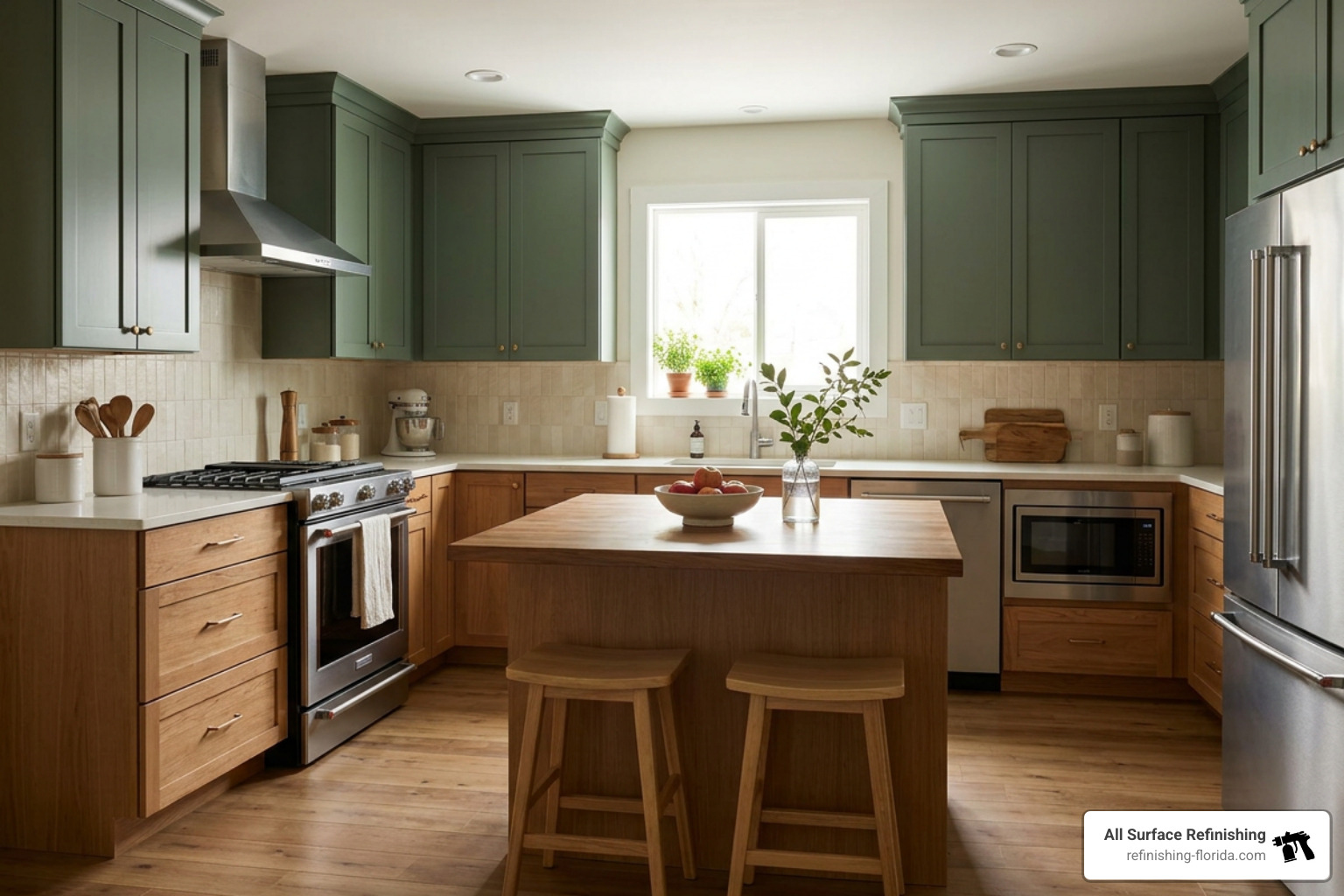
Kitchen design trends in 2026 emphasize warmth, organic textures, and balanced contrast. According to national remodeling data, natural wood-finish cabinets now lead market preferences at 29 percent of renovations, edging past traditional pure white at 28 percent. Meanwhile, green has overtaken gray as the most requested accent color (6 percent versus 5 percent).
Reviewing The Ultimate List Of Painted Kitchen Cabinet Ideas For 2025 provides inspiration for current transitional, coastal, and modern design palettes.
Two-Tone Cabinet Color Schemes and Wood Combinations
Two-tone kitchens remain a functional way to ground a room while maintaining an open feel:
- Dark Lowers, Light Uppers: Pairing deep navy, charcoal, or forest green on base cabinets with warm white uppers anchors the room while reflecting light near the ceiling.
- Accent Islands: Keeping perimeter cabinets in an off-white or soft greige while painting the central island in deep blue or sage creates a defined focal point.
- Painted Frames with Wood Elements: Combining medium wood tones (15 percent market share) or light wood accents (11 percent market share) with painted frames creates balanced visual warmth.
To explore how contrasting textures elevate a room’s aesthetic, review our guide to Finish Strong Discovering The Perfect Modern Cabinet Look.
Trending Palette Options: Greens, Warm Neutrals, and Deep Hues
- Muted Earthy Greens: Tones like sage and olive read as soft neutrals in low light while revealing natural depth in sunlit kitchens.
- Warm Taupes and Creams: Homeowners are moving away from stark, sterile whites in favor of mushroom, almond, and sandy beige tones.
- Deep Navies and Charcoals: Saturated, moody tones on lower cabinetry complement brass, bronze, and polished chrome hardware.
If you are planning a color transition, check out our guide on How To Change Kitchen Cabinet Color Like A Pro for professional surface preparation techniques.
The Step-by-Step Workflow for Virtual Cabinet Color Testing
To get accurate results from a digital visualizer, follow this systematic testing workflow:
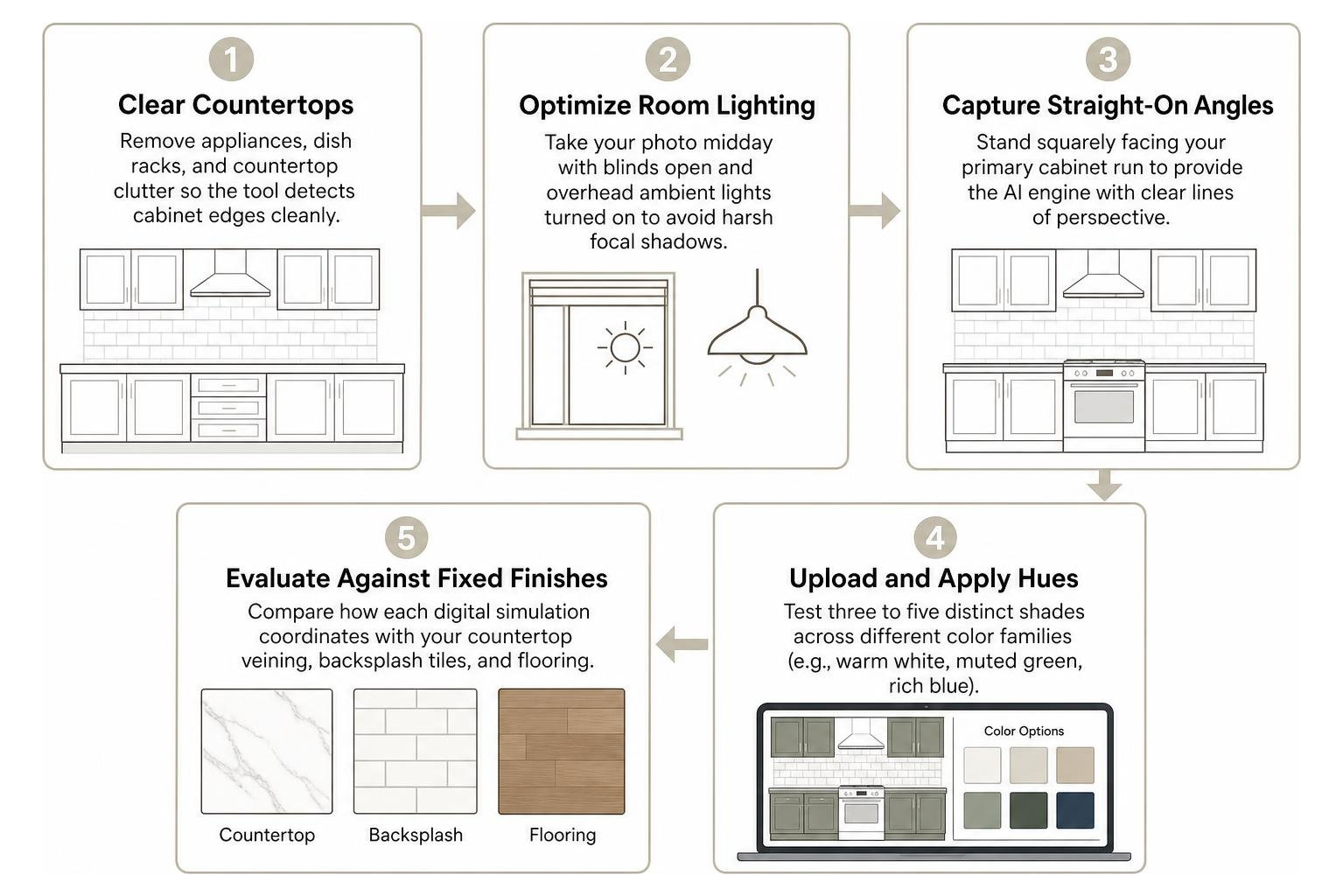
- Clear Countertops: Remove appliances, dish racks, and countertop clutter so the tool detects cabinet edges cleanly.
- Optimize Room Lighting: Take your photo midday with blinds open and overhead ambient lights turned on to avoid harsh focal shadows.
- Capture Straight-On Angles: Stand squarely facing your primary cabinet run to provide the AI engine with clear lines of perspective.
- Upload and Apply Hues: Test three to five distinct shades across different color families (e.g., warm white, muted green, rich blue).
- Evaluate Against Fixed Finishes: Compare how each digital simulation coordinates with your countertop veining, backsplash tiles, and flooring.
For DIY prep tips and step-by-step refinishing advice, read How To Paint Cabinets In 5 Easy Steps.
Common Digital Visualization Mistakes to Avoid
- Relying Exclusively on Screen Displays: Phone and monitor screens vary in brightness, color calibration, and warmth. Never order paint based solely on a digital render.
- Ignoring Flooring Undertones: Warm honey-oak flooring can clash with cool gray-toned cabinet colors. Always assess your cabinets and flooring together.
- Overlooking Countertop Veining: If your quartz or granite has warm gold flecks, cool-toned cabinet paints can make the stone appear dull or mismatched.
- Skipping Physical Paint Swatches: Digital tools narrow your choices from fifty colors down to two. Always apply physical sample boards in your kitchen before making a final commitment.
Cabinet Refinishing and Painting: Calculating Real Remodel Savings
Upgrading your kitchen aesthetics does not require tearing out functional structural cabinetry.
- Cost Comparison: A full cabinet replacement typically costs between $15,000 and $30,000. Professional cabinet painting and refinishing averages $3,000 to $5,000, representing an 80 percent cost savings.
- Return on Investment: Cabinet refinishing delivers a 60 to 70 percent return at resale, compared to 20 to 40 percent for complete tear-out replacements.
For homeowners considering professional refinishing, explore our process to Paint Kitchen Cabinets for a factory-grade finish.
Frequently Asked Questions About Kitchen Cabinet Color Visualizers
How accurate is an AI kitchen cabinet color visualizer compared to real paint?
AI visualizers achieve roughly 85 to 95 percent visual accuracy. They simulate paint colors, surface sheens, and room lighting realistically enough to eliminate poor options and establish design direction. However, screen calibration differences and localized lighting mean you should always verify your final shade with a physical paint sample.
Can I visualize two-tone kitchen cabinets and island accents with digital tools?
Yes. Most advanced visualizer tools allow you to designate upper cabinetry, base cabinets, and central islands as distinct zones. This lets you test two-tone schemes—such as painted navy lowers with warm white uppers—before applying any coatings.
Should I test physical paint samples after using a virtual tool?
Yes. A virtual visualizer is designed to narrow your palette down to two or three top contenders. Once you have your shortlist, purchase small sample pots, paint poster boards or sample cabinet doors, and view them in your kitchen in both morning daylight and evening artificial lighting. We do not sell paint; we recommend sourcing standard sample pots from your local paint retailer for on-site testing.
Conclusion
Choosing the right cabinet shade establishes the atmosphere of your entire kitchen. Using a digital visualizer allows you to test color schemes, evaluate two-tone concepts, and coordinate your cabinets with your existing countertops, backsplashes, and flooring without stress.
Once you have visualized your ideal palette, partnering with an experienced refinishing team ensures your vision translates into a smooth, durable finish. With over 30 years of experience and more than 14,000 completed surface projects across South Florida, we help homeowners transform their kitchens efficiently and affordably.
We provide expert cabinet refinishing, painting, and surface resurfacing across:
- Palm Beach County: Boca Raton, Boynton Beach, Delray Beach, Greenacres, Jupiter, Lake Worth, Loxahatchee, North Palm Beach, Palm Beach, Palm Beach Gardens, Wellington, FL, West Palm Beach
- Broward County: Coconut Creek, Coral Springs, Dania Beach, Davie, Deerfield Beach, Fort Lauderdale, Hallandale Beach, Hollywood, FL, Miramar, Oakland Park, Parkland, Pembroke Pines, Tamarac, Weston, Wilton Manors
- Miami-Dade County: Aventura, Coral Gables, Cutler Ridge, Hialeah, Homestead, Kendall, Key Biscayne, Miami, Miami Beach, Miami Lakes, Miami Shores, Miami Springs, North Miami
- Martin County, Saint Lucie County & Indian River County: Fort Pierce, Hobe Sound, Jensen Beach, Palm City, Port Saint Lucie, Port Salerno, Sebastian, Stuart, Vero Beach
Contact All Surface Refinishing today to schedule your consultation for professional cabinet refinishing and painting services and bring your kitchen design to life.
